
- Register an account on Hotbit (if you are new to Hotbit)
- Click “Buy Crypto” and enterhttps://www.hotbit.io/buy_crypto

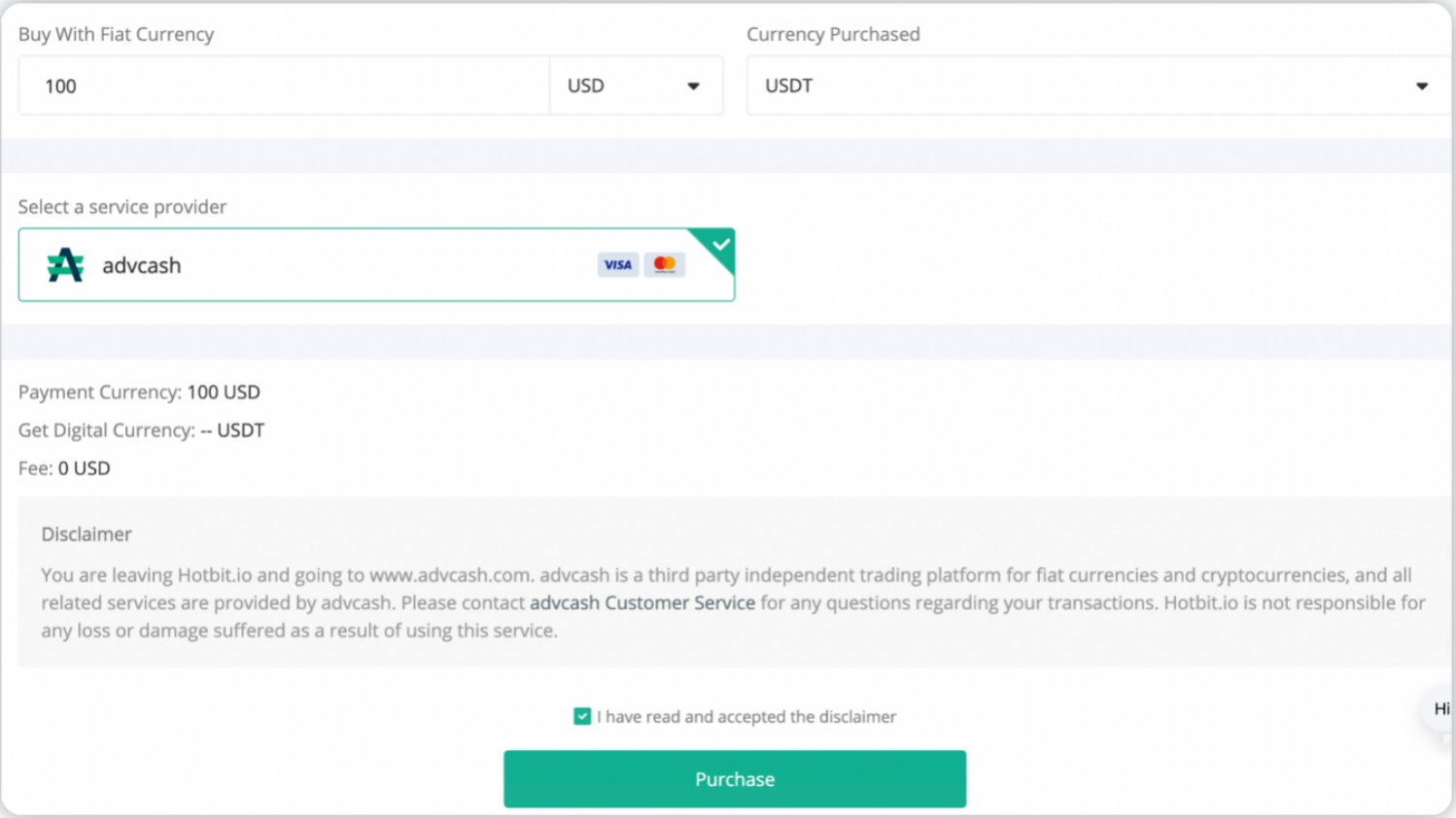
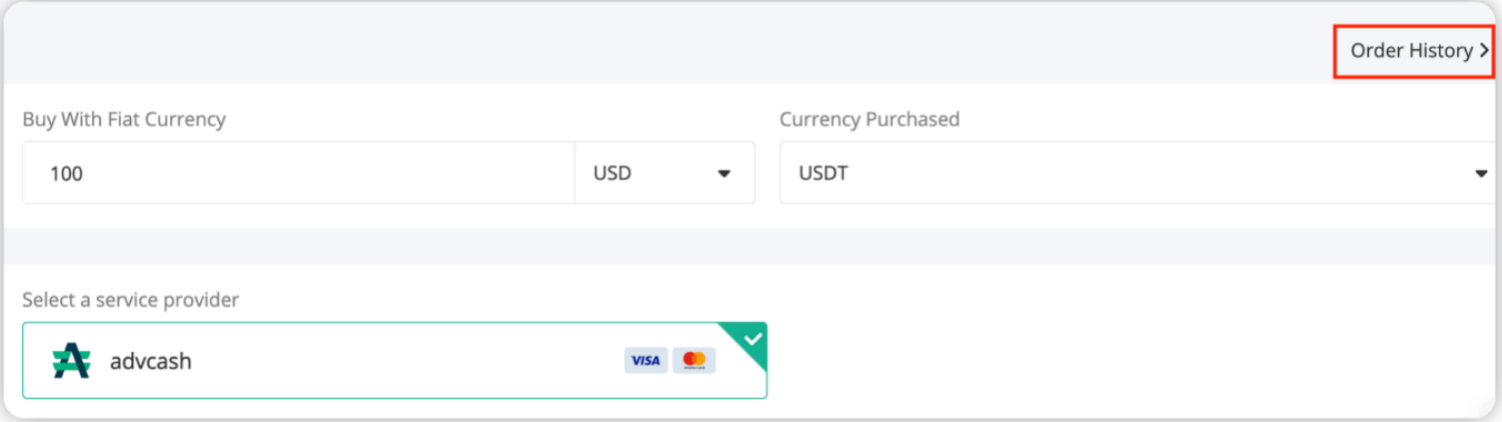
- Select the fiat currency you would like to spend, and the crypto you would like to purchase, enter the amount or quantity, then Click the “Purchase” button to be redirected to the Advcash payment page.
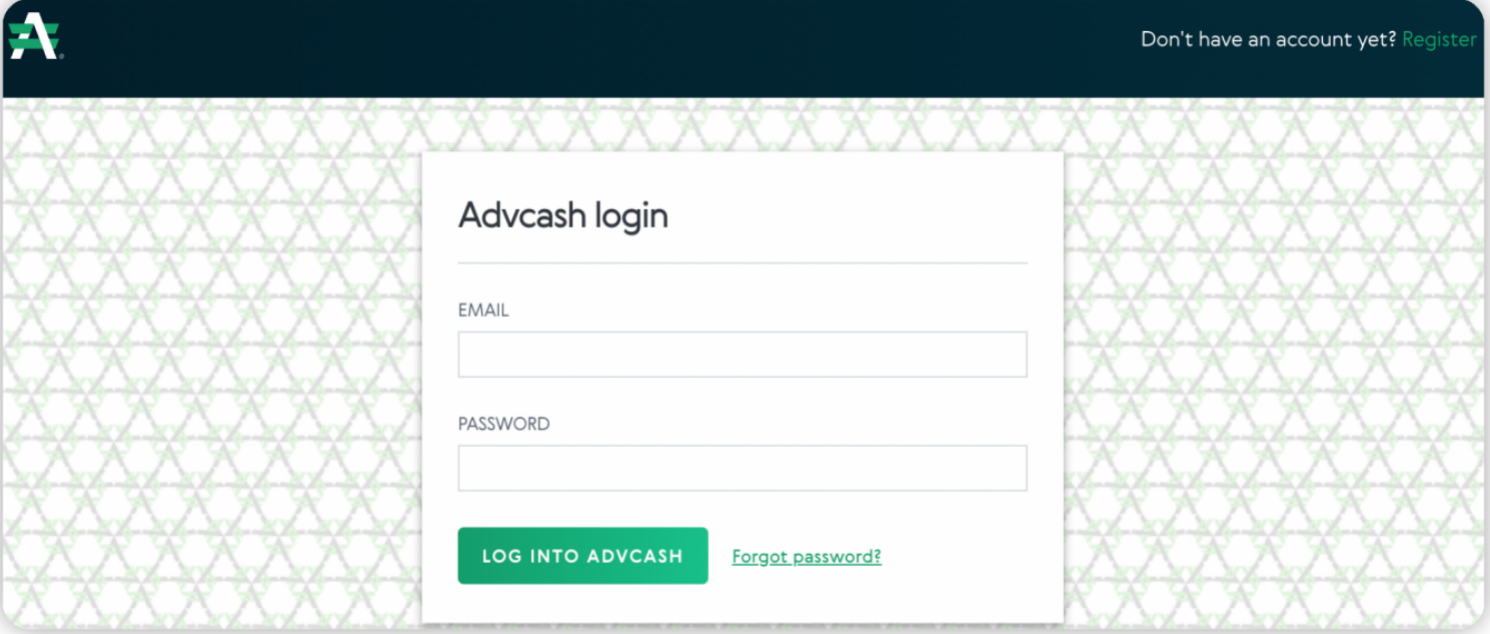
- If you already have an ADV account, you can proceed to the payment after logging in to your account. If you do not have an ADV account yet, you canregisteron Advcash to create one.https://wallet.advcash.com/register
- Enter the required data for authorization process to reach the payment page, where you’ll see the amount in fiat that you are required to pay and the amount to be credited in crypto. The payment wallet and its current balance are displayed. There is also a countdown timer, and payment must be completed before the transaction expires.
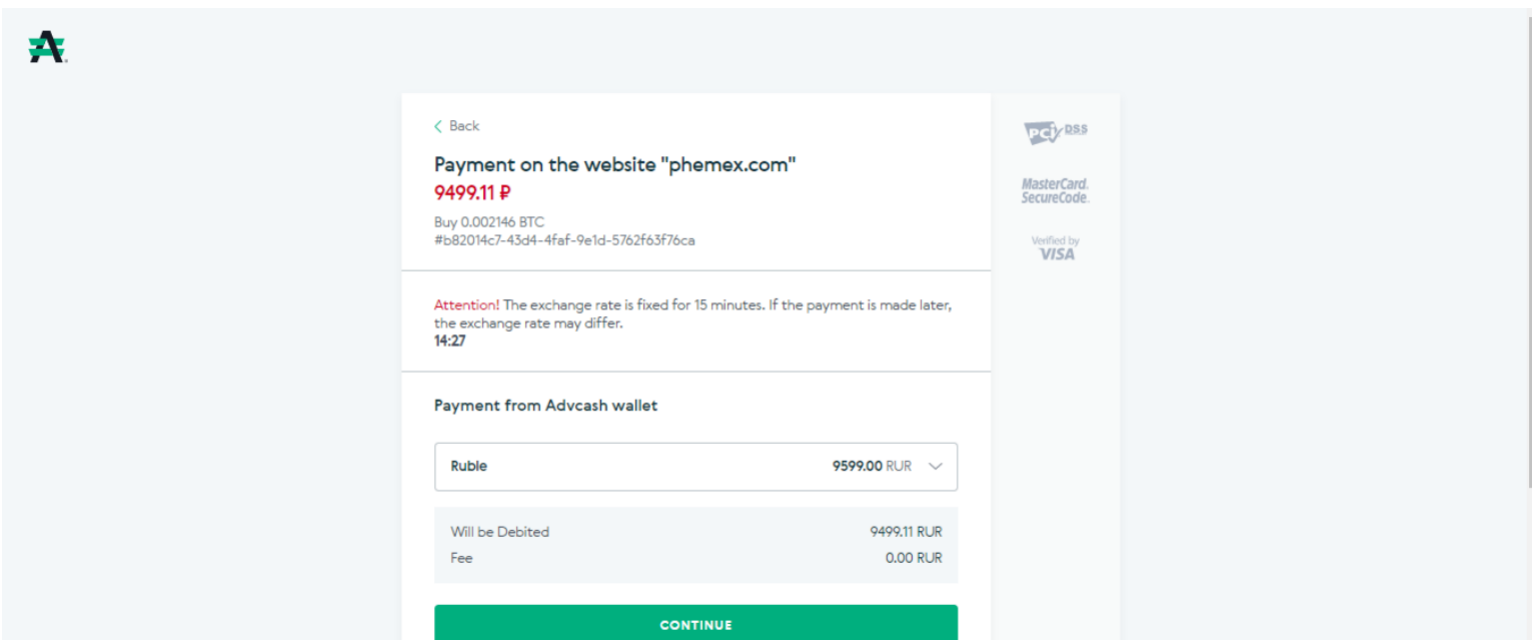
- After clicking Continue, you will need to confirm your payment by email.
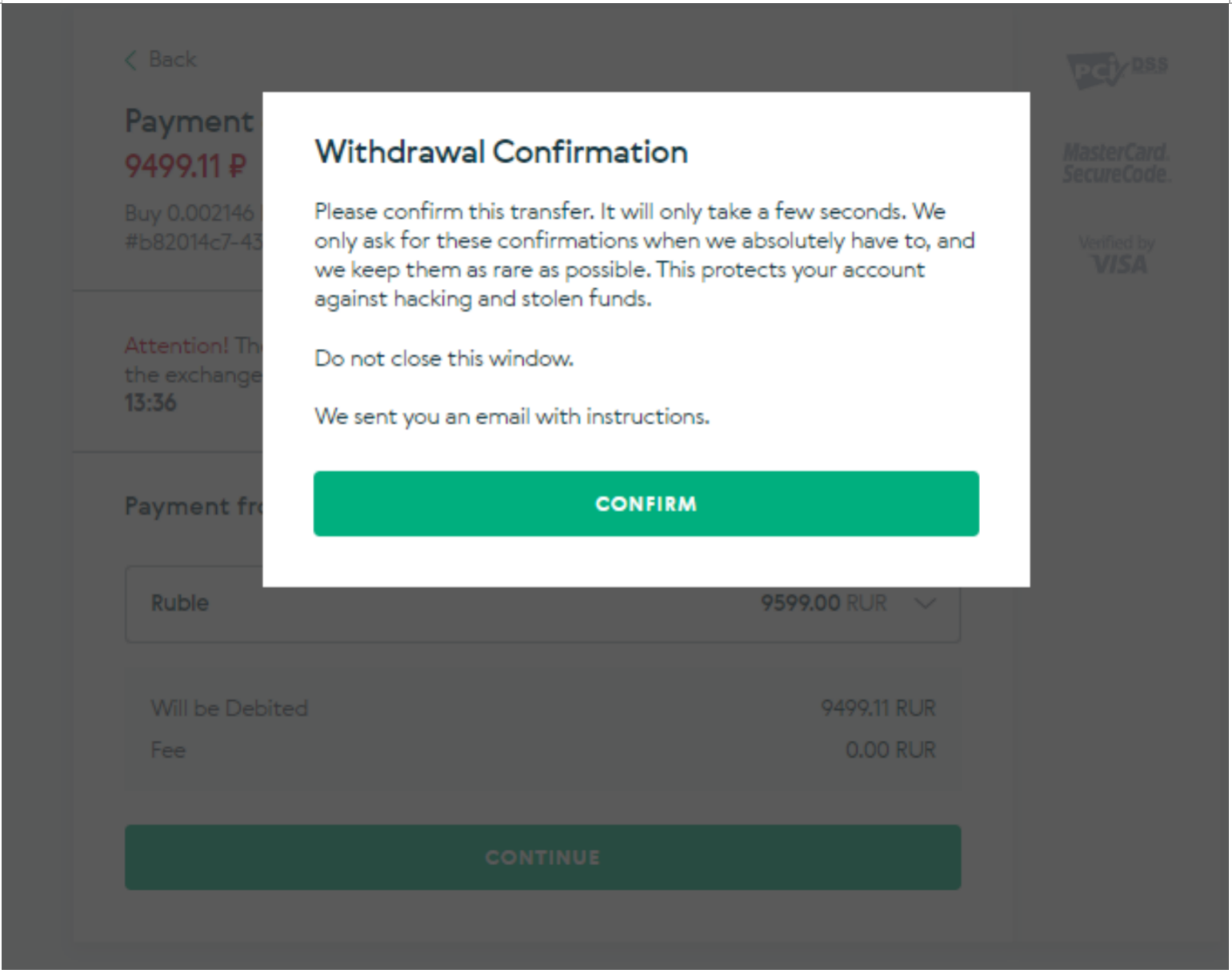
- After confirming your transaction by email, you will read this message:
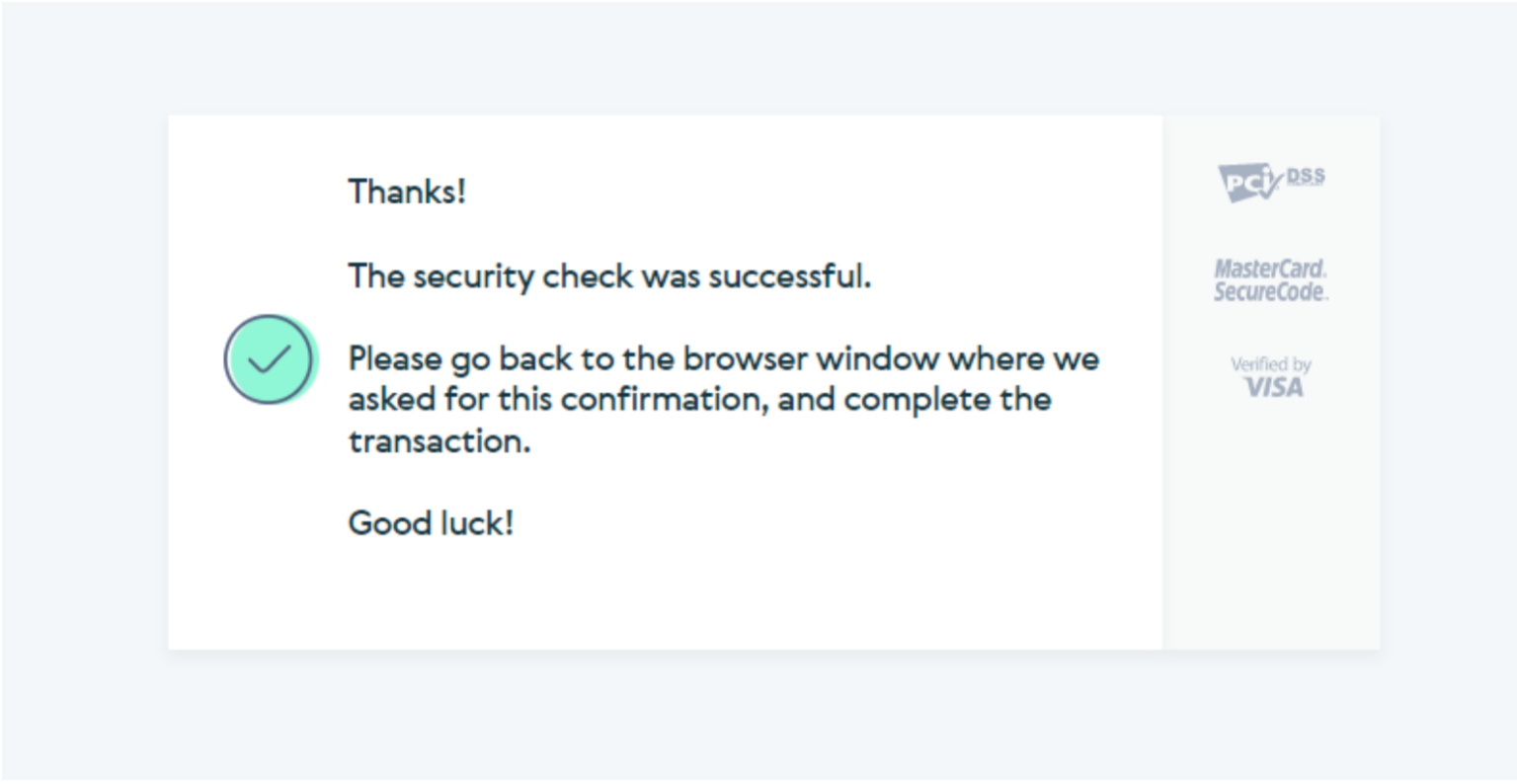
- As soon as the confirmation is done, you will see all the information about the payment and will be notified whether the payment has been conducted successfully or not.
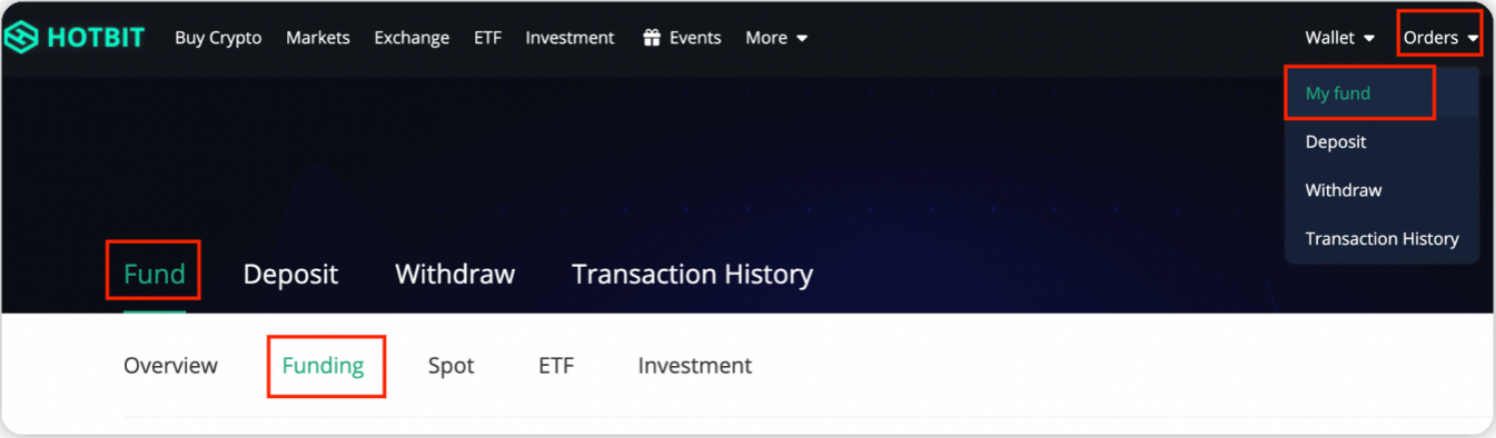
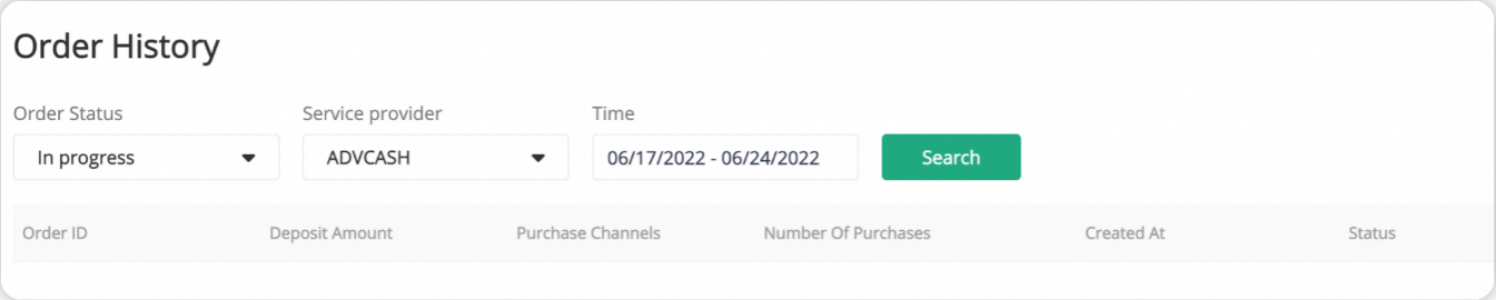
- Check the cryptocurrencies you purchased in your “Funding” wallet. You can also check the order history by clicking “Order History”.https://www.hotbit.io/buy_crypto/order
Hotbit Official Links
Website:https://www.hotbit.io/
Twitter: https://twitter.com/Hotbit_news
Telegram Global group: https://t.me/Hotbit_English
Instagram: https://www.instagram.com/hotbit_official
TikTok: https://www.tiktok.com/@hotbit_official
Reddit: https://www.reddit.com/r/Hotbit_Official/
Hotbit Team
June, 2022
Comments
0 comments
Article is closed for comments.